2.5 Extrusion head assembly
2.5 Extrusion head assembly
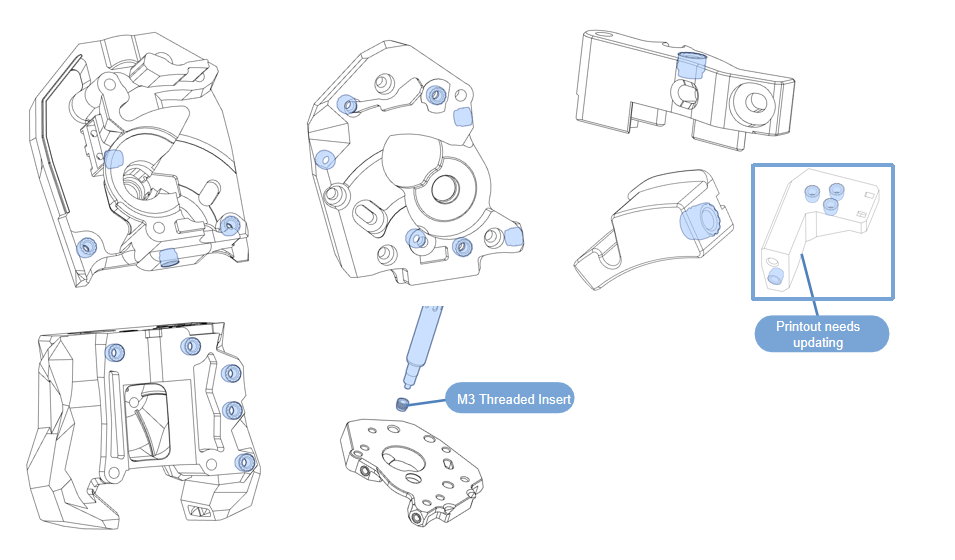
2.5.1 Printed hot melt nut
- Use a soldering iron to heat-weld the printed parts;
※Printout needs updating(Chain_Anchor_3_Hole_V2_Trident-G).https://github.com/FYSETC/Venture_XL/tree/main/STLs
2.5.2 Extrusion Head Kit Assembly
-
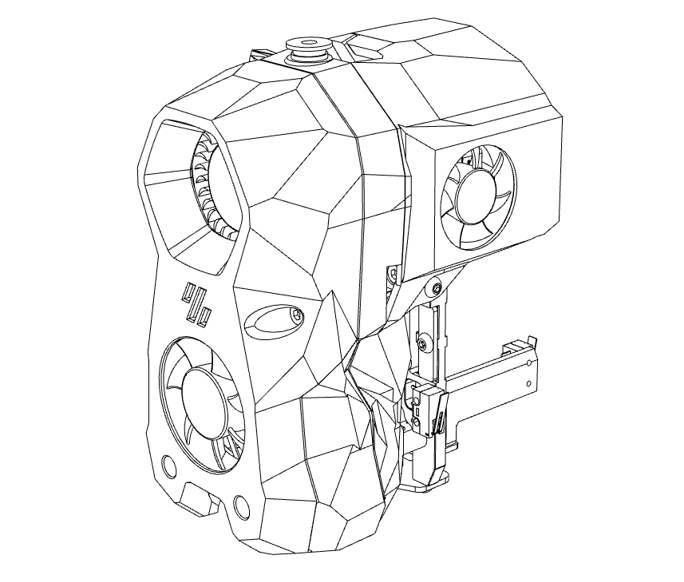
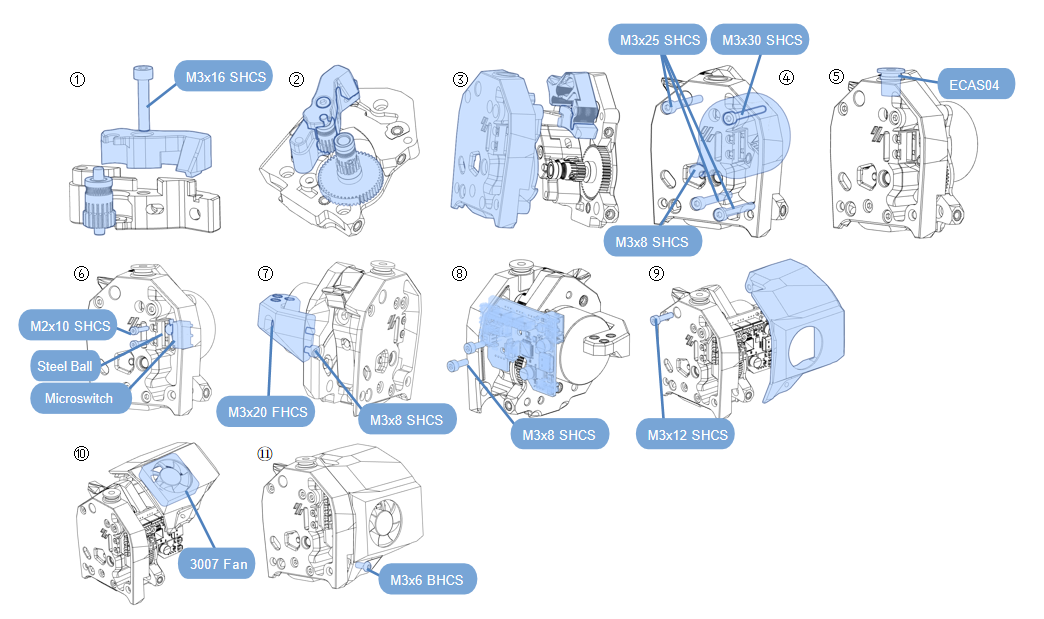
Assemble according to the diagram;
-
Step ⑥ needs to flatten the pins of the micro switch;
-
Step ⑧ needs to insert the motor terminal into the SB can board first;
-
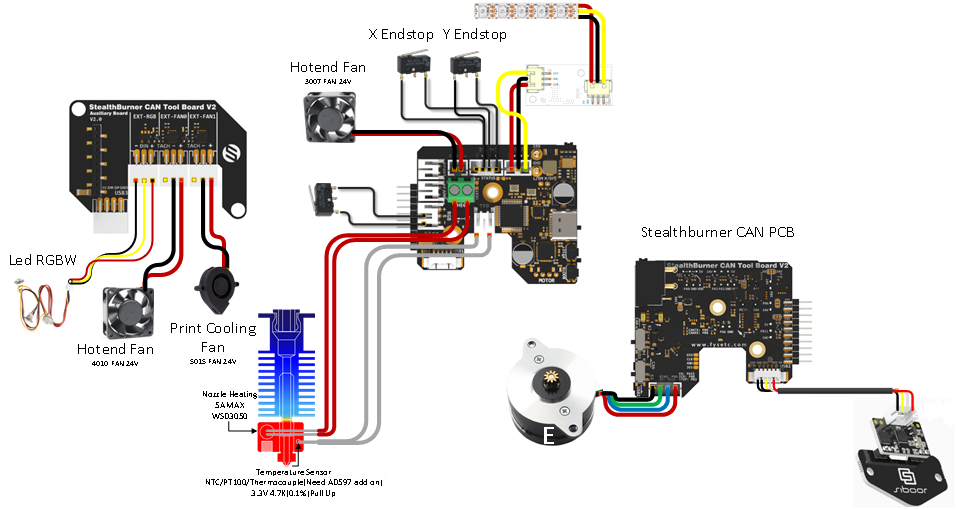
Complete the assembly together with the reference wiring diagram;
-
Assemble according to the diagram;
-
The blade in step ③ needs to be pressed in. The blade must be sharp and pay attention to safety.;
-
Complete the assembly together with the reference wiring diagram;
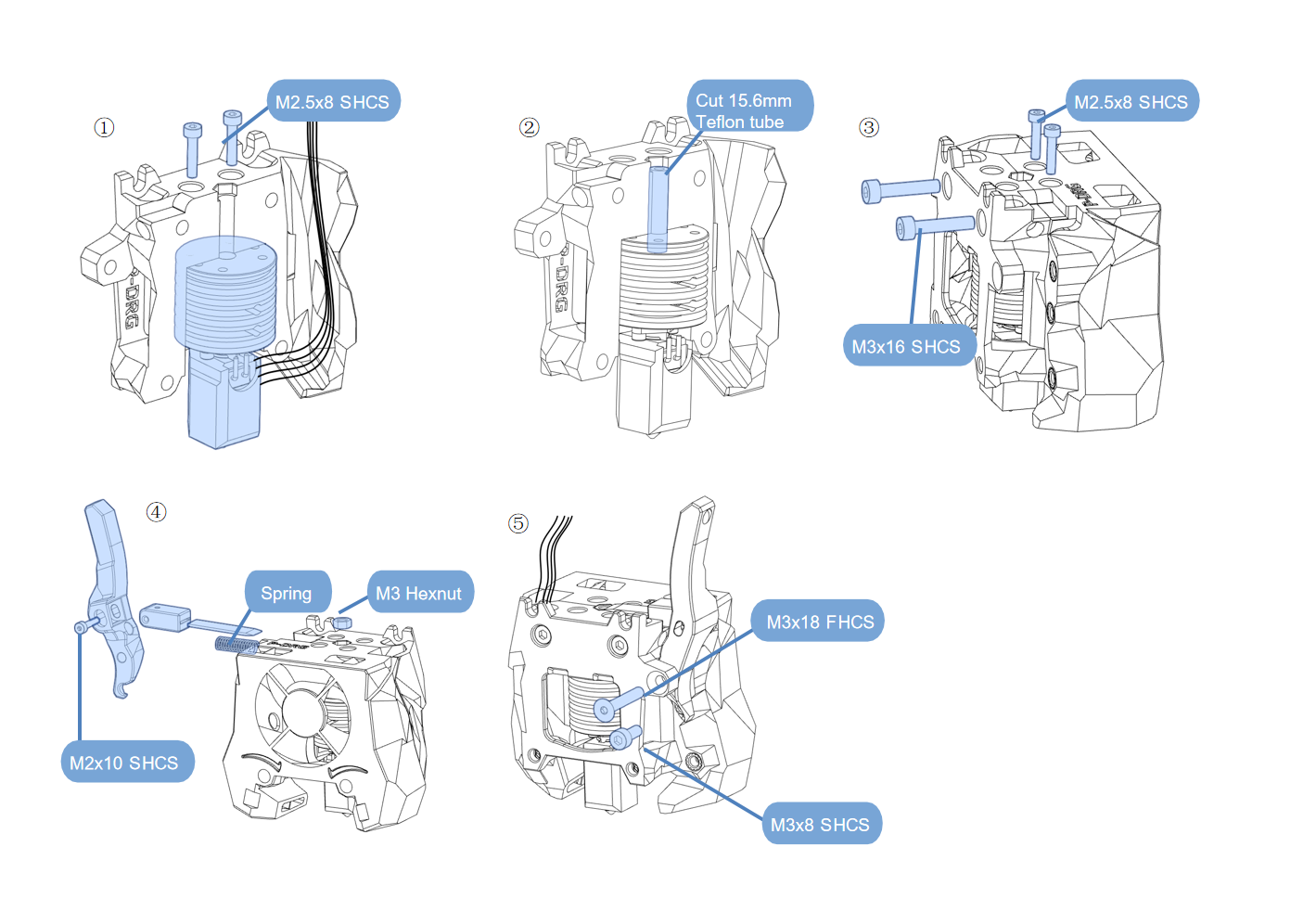
NOTE: Note where the cables pass through.
2.5.3 Extrusion Head Kit Installation
-
Material preparation
-
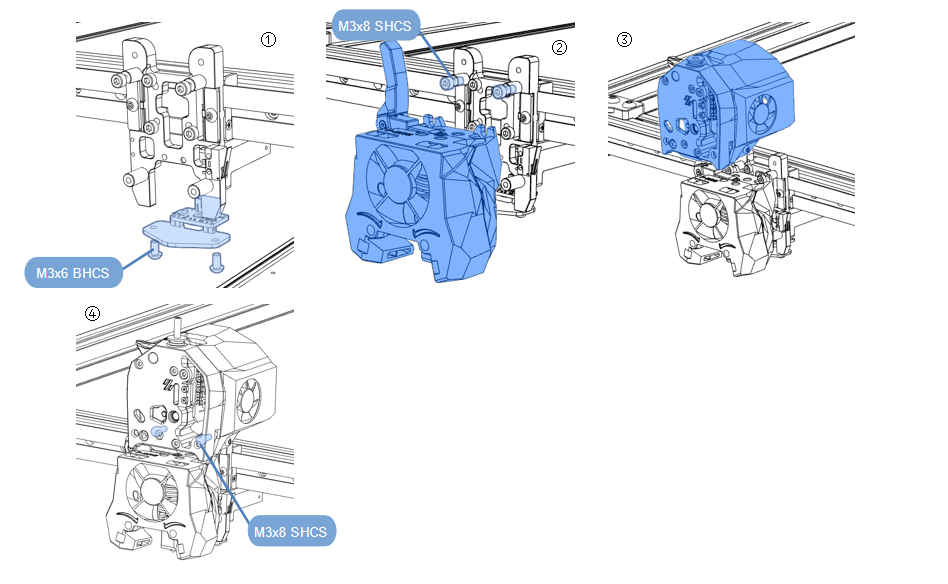
Assemble according to the diagram;
-
Complete the assembly together with the reference wiring diagram
-
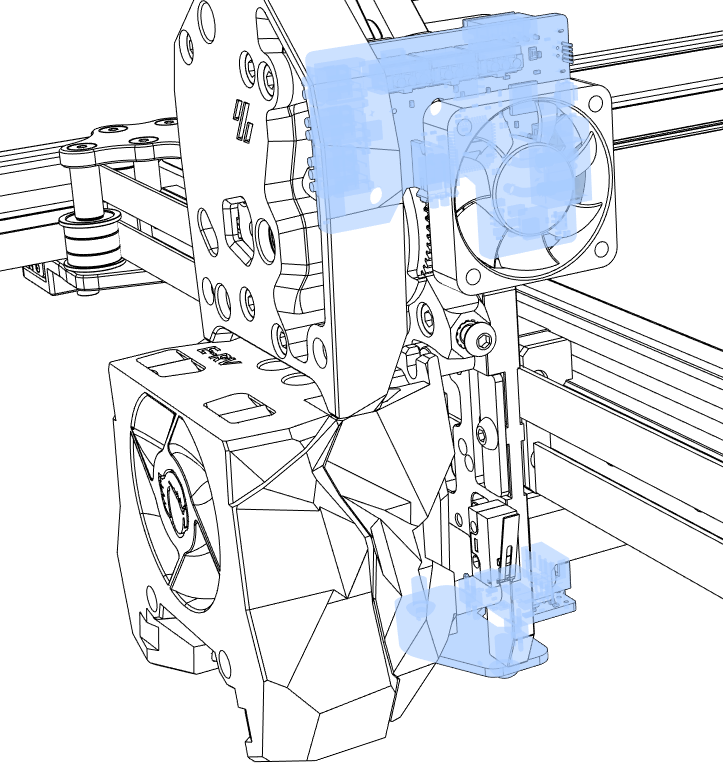
Pay attention to the CAN installation position.
-
Assemble according to the diagram;
-
Step ④: The CAB expansion board needs to be installed behind the 5015 Fan;
-
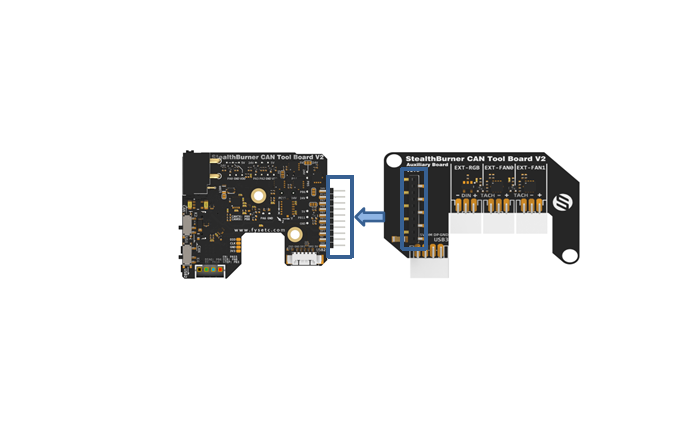
Step ⑤: The CAN expansion board needs to be connected to the CAN board pins;
-
Complete the assembly together with the reference wiring diagram;
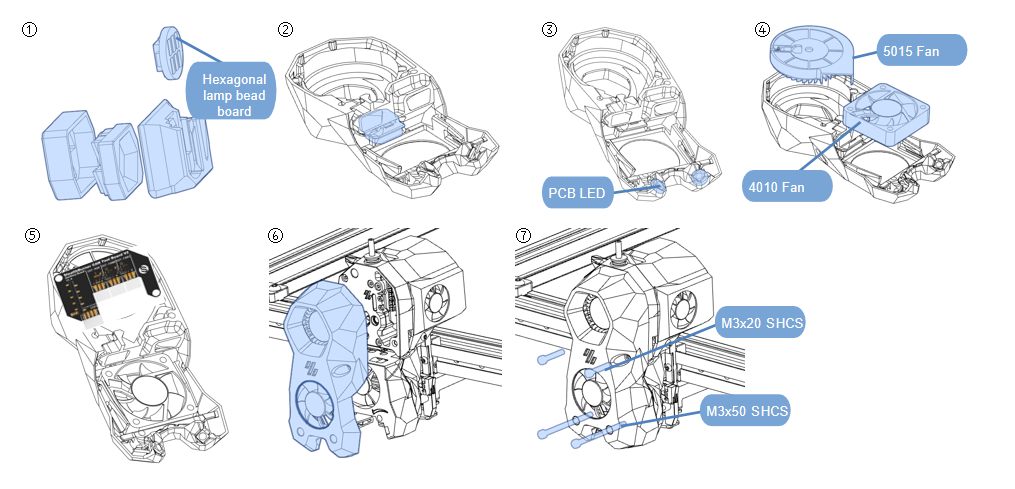
NOTE: Note where the cables pass through.
Wiring reference video link:https://www.youtube.com/watch?v=Fudc-D5RQZw
Refer to wiring.